
1-year license · 1 computer · Same Windows program as the paper version. Create 837P files from individual claims or supported Excel imports.
MedClaimSoftware — 837P Electronic & CMS-1500 Paper Claim Software
Medical Claim Software for CMS-1500 Paper & 837P Electronic Filing
Create professional 837P electronic claim files or prepare CMS-1500 / HCFA-1500 paper claims in focused Windows software—without buying a full practice-management system.
1 user: $99/year · 3 users: $249/year · Use the same Windows program for paper claims; electronic file creation is enabled with the 837P license.
No credit card for trialsData stays localU.S.-based support20+ years experience
Electronic filing or paper filing
Start with the claim format your submission workflow requires
Paper filing and 837P electronic filing now use the same CMS-1500 Windows program. Choose the license that matches your workflow: paper filing, or paper + electronic 837P file creation.
Electronic Filing
CMS-1500 Electronic Filing / 837P
$249 / year · 1 computer
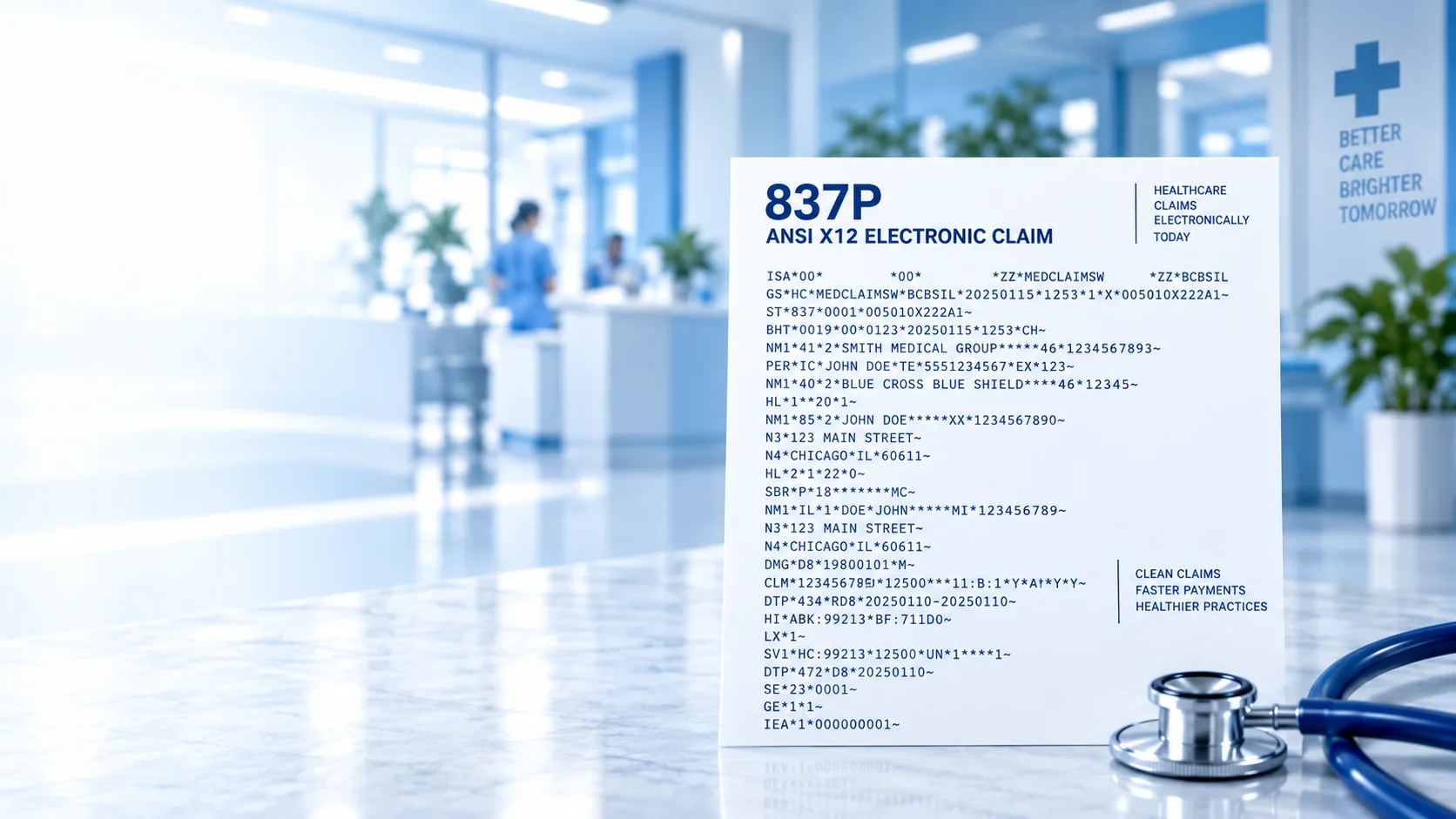
- Create ANSI X12N 837P Version 5010A1 files for one claim or multiple claim records.
- Import supported Excel records for bulk 837P file creation.
- Print CMS-1500 claims on plain paper with black ink or on preprinted red-ink forms.
- Validate claim data and flag errors before the electronic file is created.
- Save and reopen claim records, then export the 837P file for your payer, clearinghouse or submission workflow.
Paper Filing
CMS-1500 Paper Filing Software
$99/year · 1 user | $249/year · 3 users
- Enter, save and print one CMS-1500 claim at a time.
- Import supported Excel records for bulk claim preparation and printing.
- Validate required and commonly missed claim data before printing.
- Save and reopen claims so patient, provider and claim information can be reused.
- Use printer-alignment controls for preprinted CMS-1500 forms.
Need help choosing the file format? Read CMS-1500 paper filing vs. 837P electronic filing. The electronic filing feature creates the 837P file; transmission is handled through the payer, clearinghouse, Medicare contractor, billing service or other submission channel you use. Download the Excel bulk-import sample.
Electronic claim shortcuts
Looking specifically for 837P electronic filing?
Go directly to the workflow that matches what you need to do: create an 837P file, import Excel claim records, or prepare a larger batch.
837P Electronic Claim SoftwareMain product page, features, trial and purchase.Excel to 837PImport supported spreadsheet records for electronic claim creation.Batch 837P ClaimsCreate an electronic file from multiple professional claim records.837P File GeneratorCreate the 837P file for your existing submission channel.
CMS-1500 Paper & Electronic Filing FAQs
Questions about CMS-1500 paper claims and 837P electronic filing
Clear answers to the questions customers ask most often before choosing between paper filing and electronic 837P filing.
What is the difference between CMS-1500 paper filing and CMS-1500 electronic filing?
The same CMS-1500 Windows program supports both workflows. A paper license enables entering, saving, validating, importing and printing CMS-1500 / HCFA-1500 claims. An electronic filing license enables those paper features plus ANSI X12N 837P Version 5010A1 file creation.
Which CMS-1500 program do I need?
Use the paper license if you submit printed claim forms. Use the electronic filing / 837P license if a payer, clearinghouse, Medicare contractor, billing service or other submission channel requires an 837P file. Both licenses use the same Windows installer.
Does the electronic filing software transmit claims directly to insurance companies?
No. The Electronic Filing screen creates the 837P file on your computer. You then upload or send that file through the payer, clearinghouse, Medicare contractor, billing service or other electronic submission workflow you use.
Can I create an 837P file for just one claim or for multiple claims?
Yes. With the electronic filing license, the same CMS-1500 program can create an 837P file from one current claim or from multiple imported claim records.
Can I import CMS-1500 claims from Excel instead of typing every claim?
Yes. The same CMS-1500 program supports compatible Excel imports. Imported claims can be reviewed and printed as paper claims; with the electronic filing license, the same imported records can also be used to create 837P files.
Can the paper filing software print multiple CMS-1500 claims after an Excel import?
Yes. You can import supported Excel records, review the individual claims, validate the data and print the CMS-1500 claims without retyping every record.
Can the electronic filing version also print CMS-1500 forms?
Yes. In addition to creating 837P electronic claim files, the electronic version can print CMS-1500 claims on plain paper with black ink or on preprinted red-ink CMS-1500 forms.
Does the CMS-1500 paper filing version create an 837P electronic file?
The same CMS-1500 program contains both workflows. A paper license enables paper filing; an electronic filing license enables paper filing plus 837P file creation.
What does the claim validation check?
The software checks required and commonly missed claim information and flags problems before you print a paper claim or create the electronic file. This helps you find data-entry errors earlier in the workflow.
Does validation guarantee that a claim will be accepted or paid?
No. Validation can help identify missing or incorrectly entered claim data, but it cannot guarantee payer acceptance, coverage, eligibility, coding approval, medical necessity or payment. Payers and clearinghouses can apply additional rules after submission.
Can I save a claim and reopen it later?
Yes. The CMS-1500 program lets you save and retrieve claim records so you can review, edit and reuse information instead of starting from a blank claim each time.
Is my claim data stored in the cloud or sent to MedClaimSoftware?
No. These are Windows desktop programs, and your claim data stays in the local file location you choose. The software does not require you to store patient claim data in a MedClaimSoftware cloud account.
How are the CMS-1500 programs licensed?
The software uses one Windows installer with different license levels. CMS-1500 Paper Filing offers a $99 one-year license for 1 user on 1 computer and a $249 one-year license for 3 users on up to 3 computers. CMS-1500 Electronic Filing / 837P is $249 for a one-year license for 1 computer and enables the paper features plus 837P file creation.
Can I try the CMS-1500 software before I buy it?
Yes. Both license options use the same free CMS-1500 Windows trial download, and no credit card is required.
Is HCFA-1500 the same thing as CMS-1500?
HCFA-1500 is the older name many offices still use for the professional paper claim form now called CMS-1500. Our CMS-1500 paper and electronic filing license options use the same Windows program and are built around the current professional claim workflow.
Still deciding between paper and electronic filing?Compare the two CMS-1500 workflows or test the software before you buy.
Proposed paper-claim utilities
Exploring two state-specific red-ink claim forms
We are evaluating dedicated printing software for providers who still work with original, preprinted state Medicaid forms. These products are not available for download or purchase yet.
California DC-217 Denti-Cal TAR/Claim
Learn how the Medi-Cal Dental laser-printer form is used and about planned printing and alignment features.
New York eMedNY-150003 Claim Form
Learn about New York Medicaid paper claims and the proposed form preparation and alignment tool.