20+ Years Experience Data Stays Local Free Trials U.S. Support
Order online or call 608-444-6575
Home  /  Software  /  Occupational Medical Forms Software
21 occupational health and medical forms

Occupational Medical Forms Software

Complete, save, validate, preview, and print forms from one program.

Use one Windows desktop application for DOT/FMCSA, OSHA, FMLA, OWCP/FECA, and occupational clinic forms, with saved records and reusable clinic defaults.

$99one-time registration · Install on 1 computer

Windows desktop software U.S. support

Occupational Medical Forms Software product box
Occupational Medical Forms Software $99

21 Forms Included

Enter patient or employee information once and reuse shared information throughout the occupational forms.

DOT / FMCSA

  • MCSA-5875
    Medical Examination Report
  • MCSA-5876
    Medical Examiner's Certificate
  • MCSA-5870
    Insulin-Treated Diabetes Mellitus Assessment
  • MCSA-5871
    Vision Evaluation Report
  • MCSA-5895
    CMV Driver Medication Form

OSHA

  • Respirator Questionnaire
    Medical Evaluation Questionnaire
  • OSHA 301
    Injury and Illness Incident Report
  • OSHA 300
    Log of Work-Related Injuries and Illnesses
  • OSHA 300A
    Summary of Work-Related Injuries and Illnesses

FMLA

  • WH-380-E
    Certification of Health Care Provider for Employee's Serious Health Condition
  • WH-380-F
    Certification of Health Care Provider for Family Member's Serious Health Condition

OWCP / FECA

  • CA-1
    Notice of Traumatic Injury
  • CA-2
    Notice of Occupational Disease
  • CA-7
    Claim for Compensation
  • CA-16
    Authorization for Examination and/or Treatment
  • CA-17
    Duty Status Report
  • CA-20
    Attending Physician's Report

Clinic Forms

  • Occupational Exam
  • Respirator Clearance
  • Hearing / Audiogram
  • Work Status

Save, retrieve, validate, preview and print.

The workflow stays straightforward. Create or open a patient record, complete the form, validate the information, preview it and print.

  • Save patient and employee records
  • Retrieve saved records later
  • Reuse shared information
  • Validate required information
  • Print Preview before printing
  • Print completed forms
  • Apply clinic or employer defaults
Agency requirements and filing procedures can change. The software helps prepare and print forms; users remain responsible for any separate electronic reporting, portal submission, certification or retention requirements that apply.
Inside the software

See the occupational forms workflow

The application provides shared patient and employee information, included-form navigation, validation, print preview, and printing.
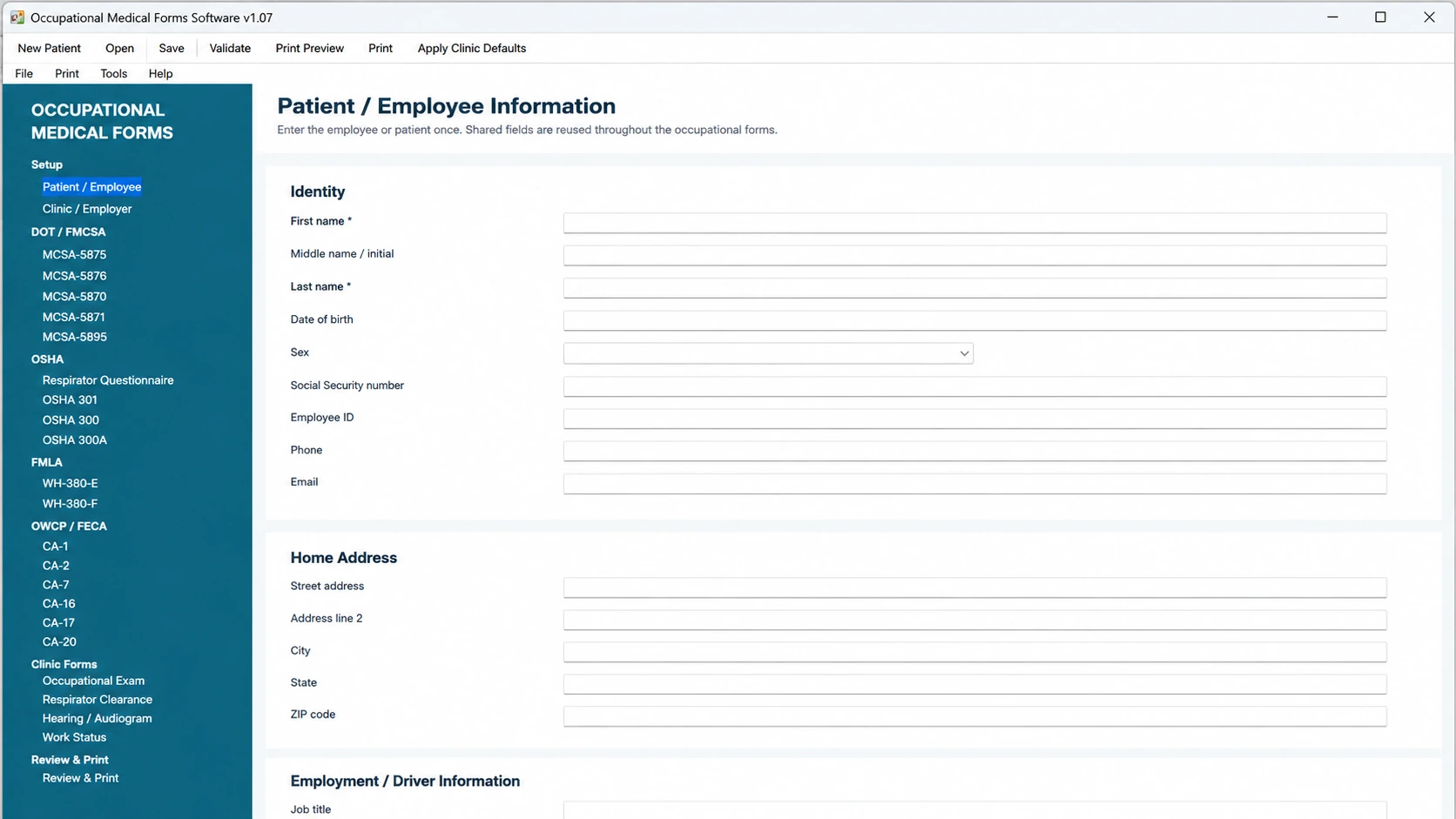
Occupational Medical Forms Software screen with included form navigation
Occupational medical forms workspace